
By default one translatable text will only appear once across an object (or even across a project in a certain engine). This makes it easier for translators to translate, because there is no need to translate the same text over and over again. This is also useful for maintaining consistency of translation.
But sometimes one word can be translated into several meanings depending on the context. So in some situations the translator needs to translate some of the same words into different words.
This is possible in Translator++ Version 3.7.15 or greater.
We have a new tab at the previously called “Current Cell Text” block that is dedicated to handle context translation.
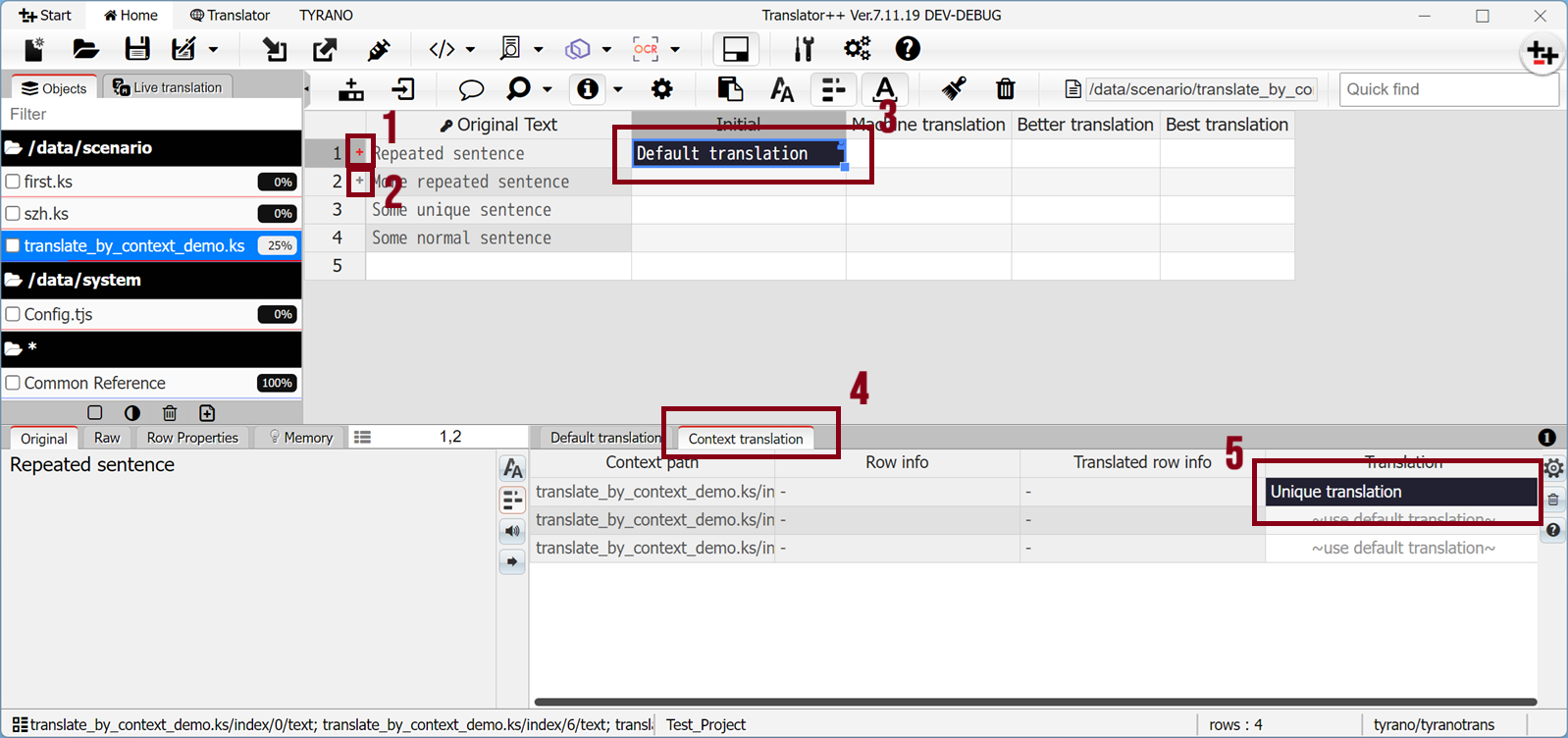
- Red plus sign in row header
The repeated keywords exist in multiple contexts and have context translations defined - Gray plus sign in row header
The repeated keywords exist in multiple contexts and have no context translations defined. - Default translation for current row
The default translation for current row - Context translation tab
- Translation based on context
The place where you can define translation based on specific context
How Context Translation works
Let say we have a very simple KS file (TyranoBuilder / KAG engine) as follows:
Consider the following ks script:
Repeated sentence[p]
More repeated sentence[p]
Some unique sentence[p]
Repeated sentence[p]
Repeated sentence[p]
Some normal sentence[p]
More repeated sentence[p]
As you can see, we have several occurrences of “Repeated sentence” on line 1, 4, and 5
If we translate it normally, the result would be like this:
Default translation[p]
More repeated sentence[p]
Some unique sentence[p]
Default translation[p]
Default translation[p]
Some normal sentence[p]
More repeated sentence[p]
As you can see the, All instance of “Repeated sentence” is replaced with “Default translation”.
What if I want to translate the first occurrence of "Repeated sentence" only as "Unique Translation"?
We can do that by using context translation:
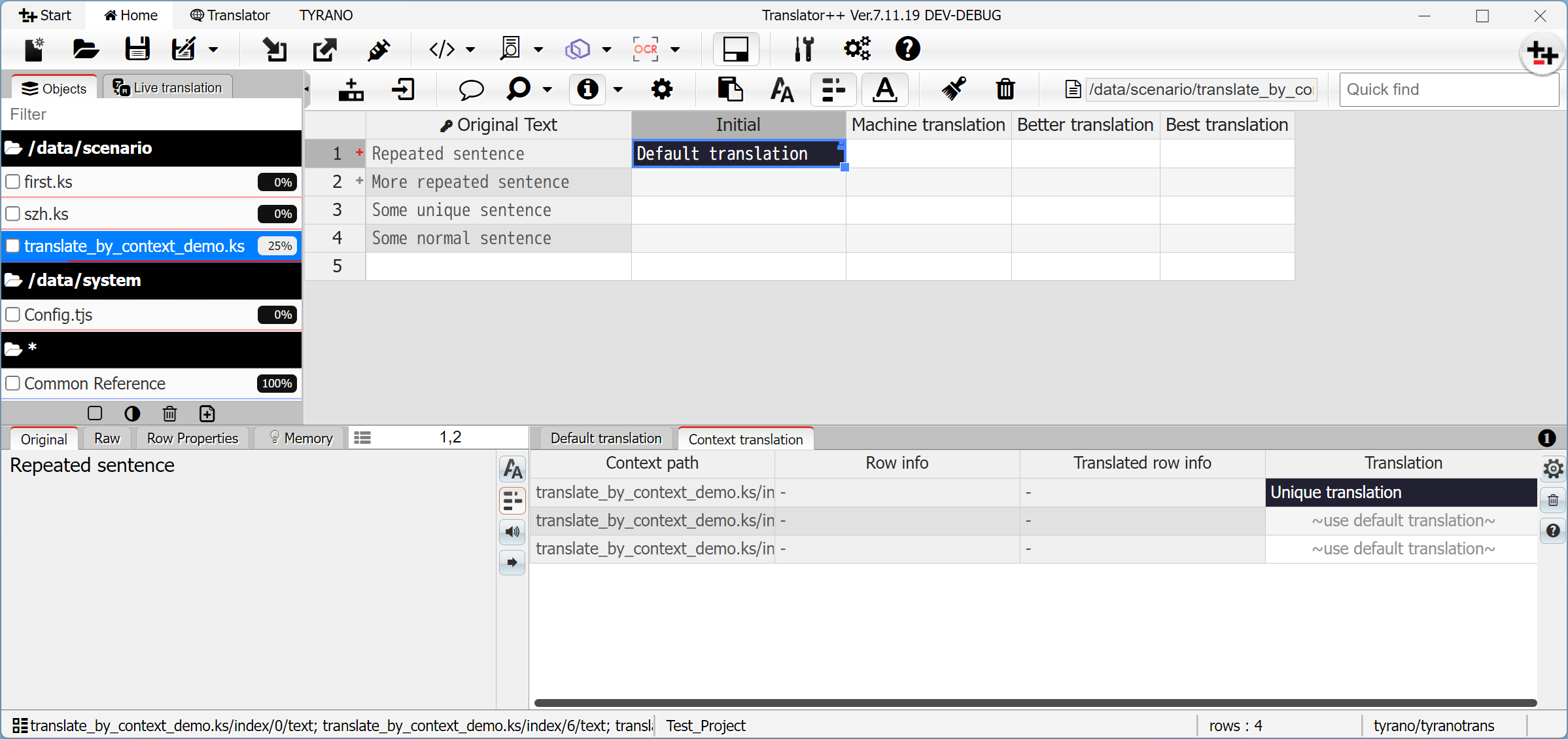
We can do that by first, defining the the "Default translation" as usual on main row. And then, in Context Translation tab, we can fill the first row with "Unique translation". The result is as follow:
Unique translation[p]
More repeated sentence[p]
Some unique sentence[p]
Default translation[p]
Default translation[p]
Some normal sentence[p]
More repeated sentence[p]
As you can see, you successfully translated the first occurrence of the "Repeated sentence" into "Unique translation"(line 1), and the rest as "Default translation" (line 4 & 5).